

Your skydiving world. All in one place.
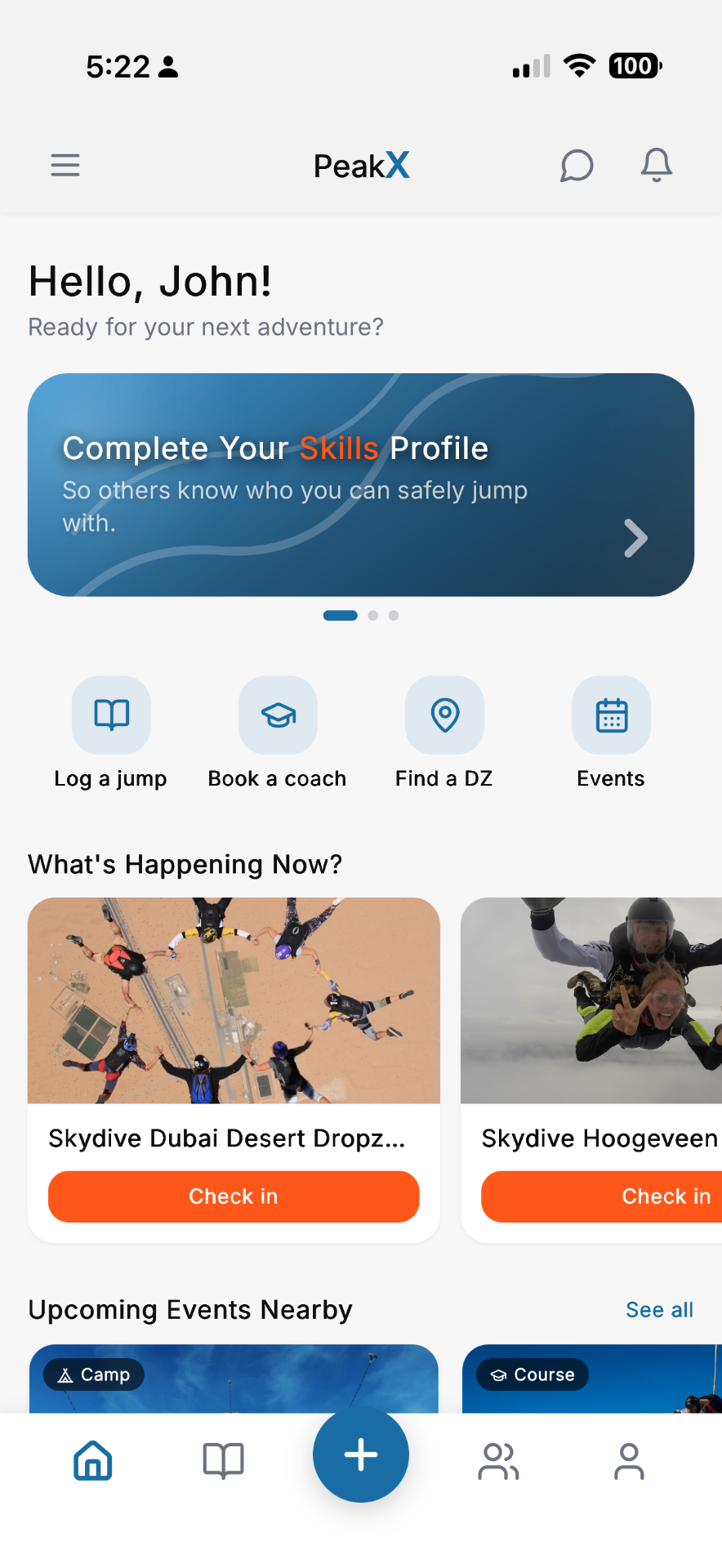
Log your jumps, discover dropzones, find coaches, join events, and connect with skydivers around the world.

Features
Everything you need to keep jumping.
Digital logbook
Log every jump
Keep your skydiving history in one place with a digital logbook built for the sport.
Dropzones
Discover dropzones
Find dropzones around the world and discover where to jump next.
Coaches
Find the right coach
Discover experienced coaches, explore their specialties and reviews, and find the right person for your next progression.
Events
Join events
Discover camps, training sessions, and events happening at dropzones around you.
Community
Find your people
Connect with other skydivers, build your network, and stay connected with the people you jump with.

Where people jump
The sport is global. So is the app.
From Empuriabrava to Eloy, skydiving happens everywhere. Take PeakX with you and work out where to jump next, wherever you land.
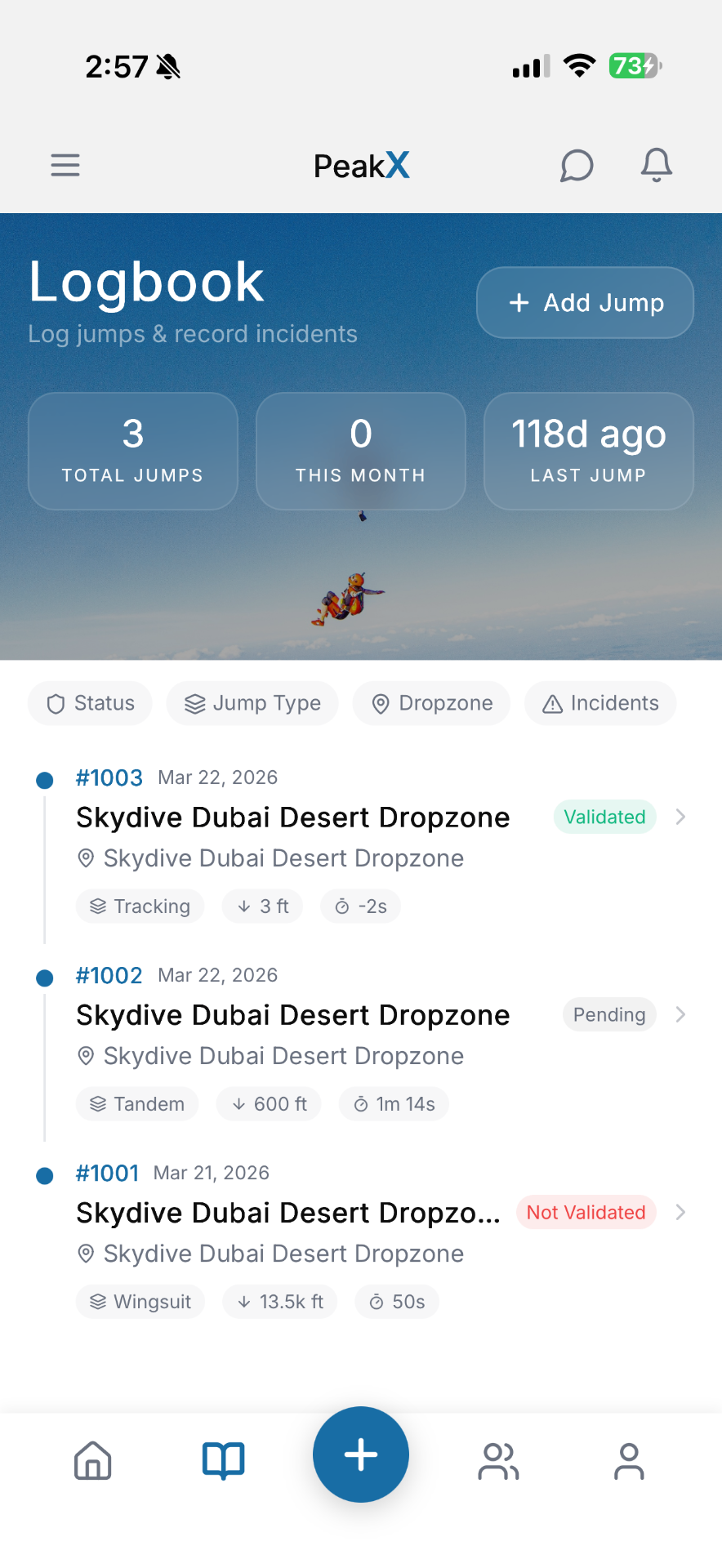
The digital logbook
Your jumps. Your progression. Your story.
Track every jump, remember every dropzone, and see your experience grow over time. PeakX gives you a digital home for your skydiving history.
- Log jump details
- Track total jumps
- Record dropzones and aircraft
- Track jump types
- Add photos and notes
- Validate jumps with peers
- Keep track of incidents
- See recent activity and progress
Global discovery
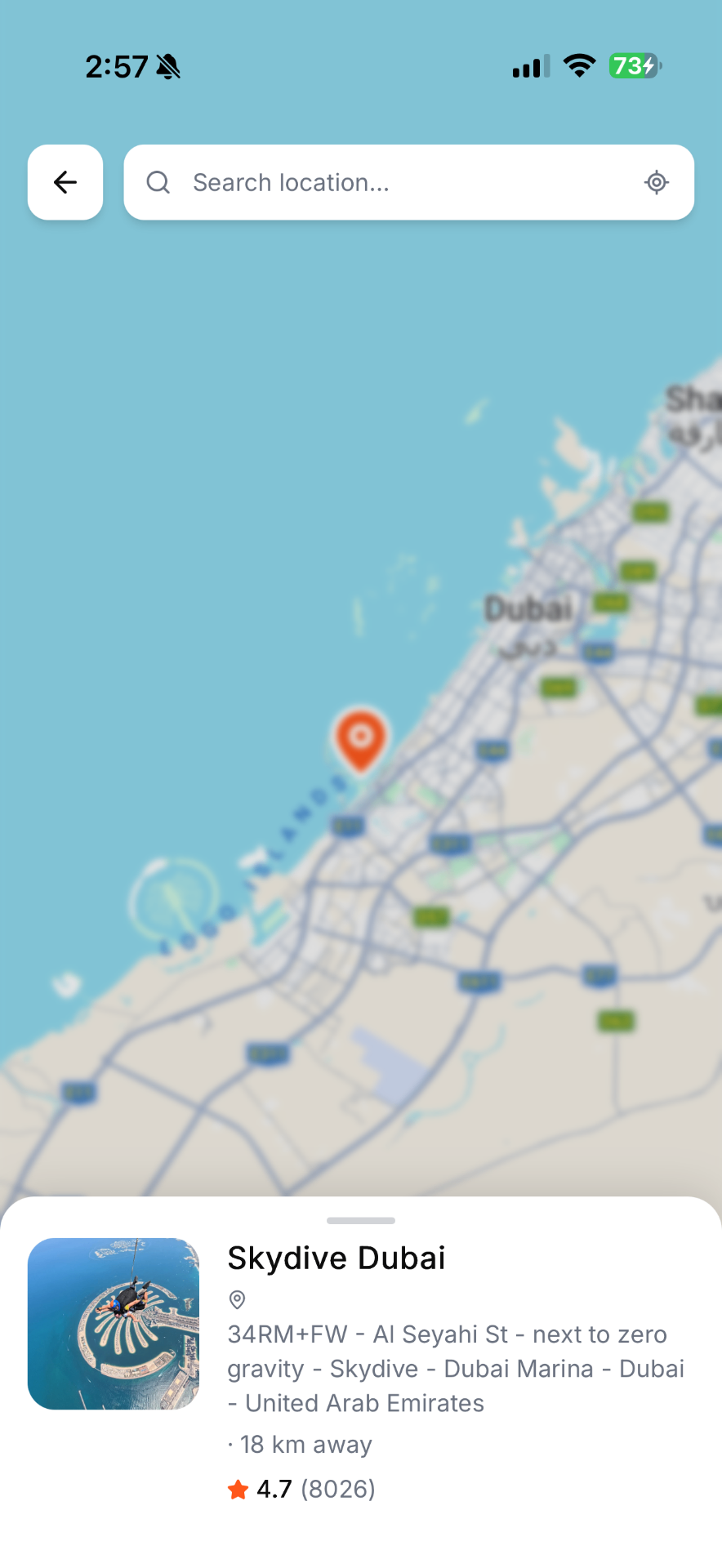
The skydiving world, in your pocket.
Explore dropzones wherever you go. See what's happening, discover coaches and events, and connect with the community before you arrive.
- Global map
- Dropzone markers
- Ratings & reviews
- Events & coaches


For coaches
Built for coaches, too.
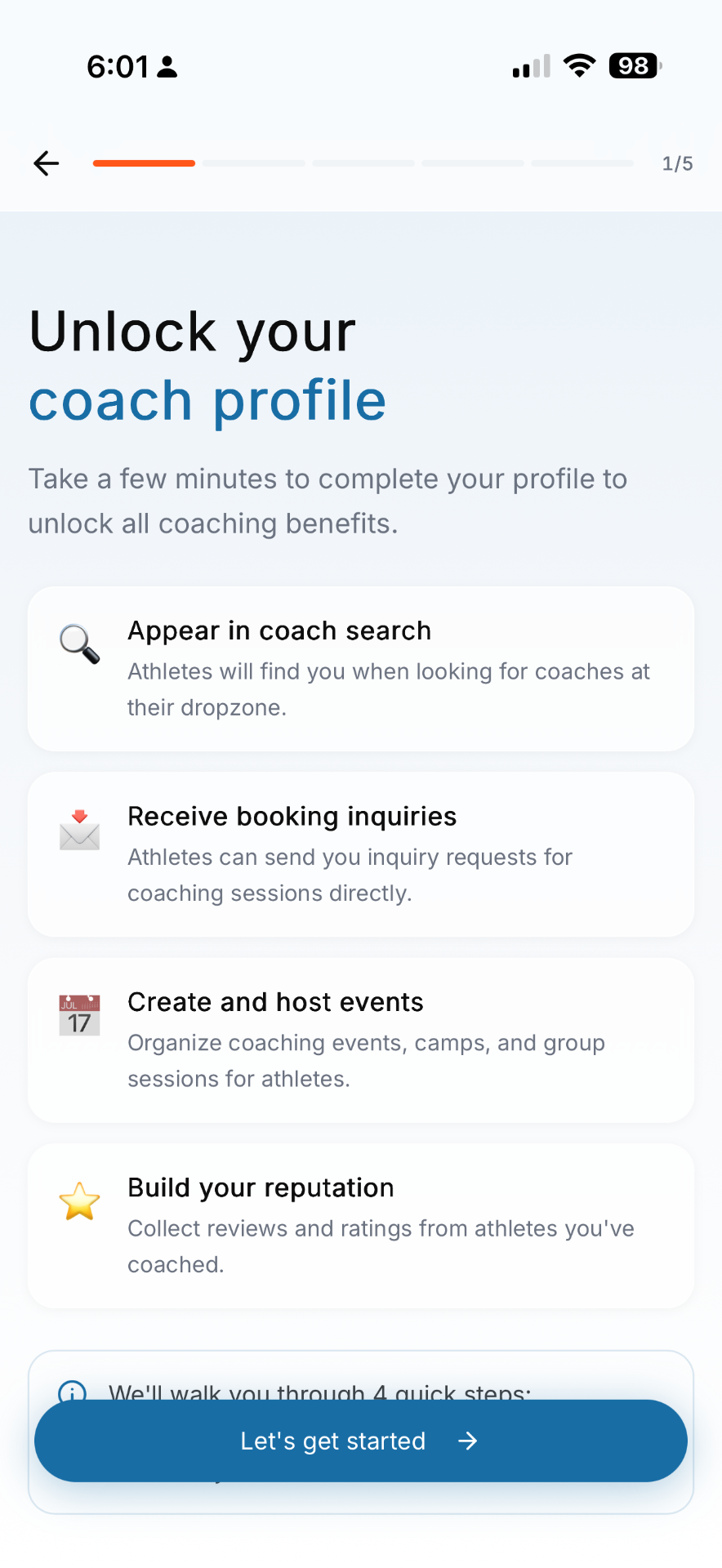
Build your presence in the community, connect with new athletes, organize training, and grow your coaching business.
- Create a professional coach profile
- Showcase certifications and specialties
- Receive coaching inquiries
- Share availability and pricing
- Create camps and training events
- Build your reputation through reviews
FAQ
Questions, answered.
PeakX is a platform for skydivers, coaches, and dropzones that combines community, coaching, events, venue discovery, and a digital logbook.
Athletes, coaches, instructors, and dropzone communities.
Yes. PeakX is initially focused on skydiving, with potential expansion to other flying sports in the future.
Yes. PeakX is available on Google Play for Android and on the App Store for iPhone and iPad.
Date, dropzone, aircraft, altitude, freefall time, canopy, notes, photos, coaches, peers, and incidents.
Detailed logbook data is associated with your account and is not publicly displayed by default.


Ready for your next jump?
Join PeakX and take your skydiving world with you.